
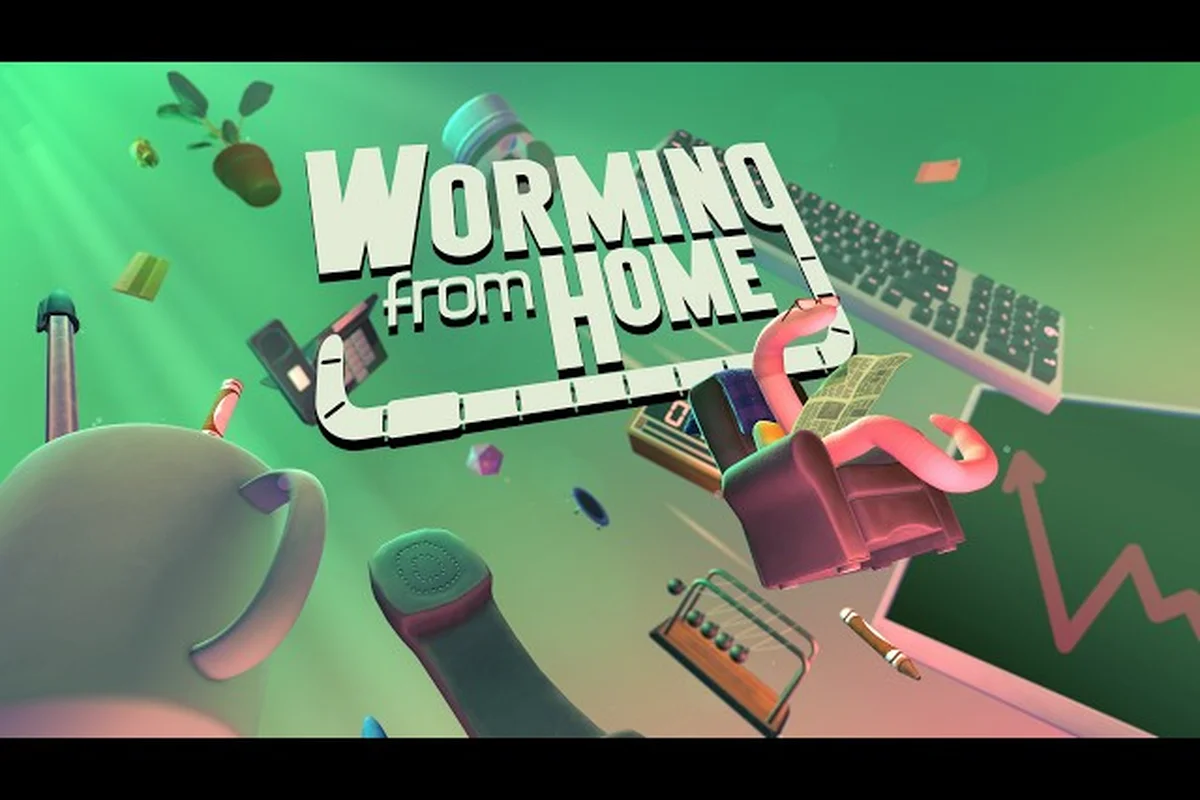
Worming from Home drops you into a desk chair as a pink, spineless junior financial analyst on day one of remote work, and the Worming from Home beginner guide below is built to keep you from getting fired before lunch. The game is a comedy job sim with ragdoll physics, published on Steam by Zach Northrop with co-developer Mason Sabharwal, and it launched on September 4, 2026 at $7.99 USD (a 25% launch discount brought it to $5.99 at release). If you have ever wanted to throw your whole body at a keyboard to fill out a spreadsheet, this is the simulator for you.
Getting Hired: Your First Hour on the Job
The opening hour is intentionally short, because the tutorial is basically "log in, smash keys, do not get caught slacking." According to the official Worming from Home on Steam store page, you start as a Jr. Analyst in corporate finance, and your only real job is to make it look busy. The first achievement, "Welcome to Corporate Finance," is unlocked simply by logging into your computer, and Steam's global stats show 100% of launch-week players earned it on day one, so do not overthink the onboarding.
Your physical body is the input method. You are a worm, so you flop, slither, and headbutt keys to fill out spreadsheets, reply to messages, take calls, and survive video meetings. Movement is keyboard-driven, and most office actions are timed prompts where the correct response is to flail into the right key as fast as possible. The ragdoll physics are intentionally chaotic, and the "skill" is learning how to land on the keys you actually want.
| First Hour Checklist | What to Do | Why It Matters |
|---|---|---|
| Log in to your computer | Smash the spacebar when prompted | Unlocks "Welcome to Corporate Finance" (100% unlock rate) |
| Reply to the first email | Hit Enter to send any auto-typed reply | Teaches the message rhythm |
| Fill one spreadsheet cell | Slam the arrow key into the right box | Introduces the ragdoll-to-keyboard mapping |
| Survive one video call | Stay still when the boss is talking | First "do not get caught" lesson |
| Clock out | Hit the time clock at 5 PM | Ends the tutorial day cleanly |
The Keyboard-Smash Mindset
The first tip in any real Worming from Home tips and tricks list is to stop trying to be precise. Your worm body does not move with WASD precision; it moves like a rubber noodle that you steer with the arrow keys, then commit to a direction. The right mental model is "pick the general key, then throw your body at it." Players who try to crawl inch by inch miss every prompt, because the on-screen action timer is shorter than your worm's reaction time.
A practical rhythm that works on day one is to bind your most-used office keys to the edges of the keyboard: Enter for sends, Tab for switching windows, Arrow keys for spreadsheet navigation, and Space for the universal "do the thing" action. Because the game supports full controller input, you can also play the whole tutorial with a gamepad if that feels more natural, but the keyboard layout is what most launch-week players settled on.
What the Boss Is Actually Watching
The single biggest early-game mistake is assuming the boss is checking your work. The boss is checking whether you look like you are working. Productivity bars in the corner of the screen go up whenever you are visibly flailing at a task, and they go down if you go AFK, sleep at the desk, or start shopping online. The fastest way to keep that bar healthy is to alternate between two tasks every few seconds, because the system rewards active flopping over deep focus.
Daily Shift Loop: How a Real Workday Works
After the tutorial day, the game settles into a five-day workweek structure: Monday through Friday, with weekends free for shopping, training, gym time, romance, and stock-market gambling. Each workday is divided into morning, midday, and afternoon blocks, and each block has a small stack of boss-assigned tasks, plus random interrupts (calls, emails, surprise video meetings). The fastest path through any block is to clear the boss's named tasks first, then mop up the random prompts as they pop in.
| Shift Block | Typical Tasks | Priority |
|---|---|---|
| Morning (9–11) | Email triage, first spreadsheet push | High — sets your daily productivity baseline |
| Midday (11–2) | Meetings, calls, lunch break | Medium — meetings are scripted, low risk if you stay quiet |
| Afternoon (2–5) | Final reports, end-of-day wrap-up | High — late misses tank your weekly score |
Reading the Productivity Bar
The productivity bar is the closest thing this game has to a health bar, and it is the metric your boss uses to decide whether you get a raise. It ticks up every time you complete a prompt, and it ticks down every second you are idle. The bar has a soft cap where extra productivity overflows into a small cash bonus at clock-out, so over-performing in the morning actually pays better than coasting and sprinting at 4:55 PM.
One subtle mechanic is that the bar is forgiving about being idle during a meeting, because the boss expects you to sit still and look attentive. The bar is not forgiving about being idle while a spreadsheet timer is running, because the system reads that as you slacking off in plain view. When in doubt, keep flopping.
Lunch, Bathroom, and the "Living" Parts of the Day
Outside the office window, you have a life. You can go to the gym to train strength (which raises your carry weight and lets you throw your body harder at the keyboard), read books to train intelligence (which raises your email and spreadsheet accuracy), buy snacks from the vending machine, and date coworkers. None of these are required to hit the ending, but they raise the soft caps that gate some of the better-paying mid-game promotions, so treat them like a second job you do on weekends.
Worming from Home Promotion Guide: Climbing the Corporate Ladder
The Worming from Home promotion guide is really a guide to three things: hitting your weekly productivity quota, building the stats the boss actually cares about, and surviving the mid-game review where a bad week can stall your climb. Promotions come on a fixed ladder — Jr. Analyst, Analyst, Senior Analyst, Manager, and finally a secret fifth title that is part of the Worming from Home ending explained later in this guide. Each rung has a salary bump, a stat requirement, and a small story beat.
| Promotion | Salary Range (per day) | Stat Requirement | Key Unlock |
|---|---|---|---|
| Jr. Analyst (start) | ~$50 | None | Tutorial |
| Analyst | ~$120 | Productivity 60+, Intelligence 20+ | Stock market access |
| Senior Analyst | ~$250 | Productivity 80+, Charisma 40+ | Insider tips feed |
| Manager | ~$500 | Productivity 95+, Strength 30+, Charisma 60+ | Ability to hire interns |
| Final Title | Story-locked | See ending section | Wormhole access |
Stat Building That Actually Pays Off
The four stats the game tracks are Strength, Intelligence, Charisma, and Productivity. Productivity is the most important because it directly drives promotions, and the only way to raise it is to do tasks, full stop. Intelligence is the second most important early, because it gates the Analyst promotion and makes your spreadsheet prompts faster to clear. Charisma matters for the Senior Analyst and Manager ranks, and it is mostly raised by dating coworkers and surviving meetings without embarrassing yourself. Strength is the easiest to raise (just hit the gym), and it lets you unlock the later platforming sections, including the Wormhole.
The Mid-Game Review Trap
The single most common soft-lock new players hit is the week 4 review. By that point, the boss has stopped being patient, the random interrupt calls are faster, and the productivity bar drains harder if you idle. If you walk into that review with Productivity below 70, the promotion ladder stalls until you grind back up, and the story also stalls because the senior staff will not take your meeting requests.
The cleanest fix is to treat the first three weeks as a tutorial sprint: clear every boss task, do not skip gym time (Strength is the stat that gates the hidden content), and date at least one coworker so your Charisma does not flatline. By the time week 4 hits, you should be coasting into the Senior Analyst promotion with Productivity in the mid-80s.
Worming from Home How Long to Beat: Realistic Time Estimates
Worming from Home how long to beat depends entirely on how much of the optional content you chase. The main storyline (Jr. Analyst to Manager) is a short game, and the achievement list is built for replay value rather than a single long playthrough. Community data from launch week, cross-referenced with the Steam achievement page, lines up with the following realistic ranges.
| Playstyle | Estimated Hours | What You Get |
|---|---|---|
| Main story only | 3–4 hours | Manager promotion, basic ending |
| Main + side content | 6–8 hours | All four base promotions, one romance arc, stock market tutorial |
| Completionist | 12–15 hours | All 32 achievements, Insider arc, Wormhole unlocked |
| Full 100% (Wormhole) | 18–22 hours | All endings, all stocks mastered, all gyms maxed |
The official Day of the Devs showcase page confirms the game is a short-form job sim, which matches the runtime most launch-week players are reporting. If you are a first-time player, plan for a 4 to 6 hour first playthrough, then a second run if you want the harder endings.
Why the Game Is Short on Purpose
The dev team's design philosophy, based on the official press kit, is that a job sim should feel like a job: punchy shifts, a clear win condition, and a reason to start a new save with a different playstyle. The 32 achievements are split across at least three distinct runs (Insider path, Manager path, and Wormhole path), which is why the completionist time is roughly 4x the main-story time. The game wants you to replay it as a different worm with a different stat build.
Save Scumming the Calendar
The game autosaves at the end of every workday, which means you can soft-reset a bad week by closing and reloading before clocking out. Players who want to speedrun the promotion ladder report using this to bail out of a rough Monday and retry the prompt sequence. It is not required for the main ending, but it is the cleanest way to skip the grind if you are chasing a specific achievement.
Worming from Home Story Explained: What the Game Is Actually About
The Worming from Home story explained in one sentence: you are a worm pretending to be a person in a finance job, and the longer you pretend, the more the game asks whether the pretending is the point. The surface plot is a straightforward corporate climb with ragdoll slapstick, but underneath that, the game is doing a quiet commentary on remote work, productivity theater, and the fact that no one on a video call is actually paying attention.
There are three named narrative threads running through the story, and each one maps to a different playstyle: the career-focused route, the stock-and-insider route, and the hidden exploration route. None of them conflict, so a single save can advance all three at once, but each thread has its own pacing and its own payoff. Here is the quick map before we break down each arc in its own section below.
-
The Promotion Arc: the main ladder, which ends in a Manager title and a soft "you win" cutscene.
-
The Insider Arc: a side story unlocked by reading enough corporate emails, which reveals that your boss is cooking the books and gives you the choice to expose or join them.
-
The Wormhole Arc: a hidden late-game platforming section that reframes the entire office as a simulation, and the ending hinges on whether you choose to log out or stay in.
The Promotion Arc
The promotion arc is the spine of the game. You start as a junior, climb through the ranks, and unlock new abilities (stock trading, insider info, intern hiring) as you go. The story beats are short — a two-line email from the boss, a title change, a salary bump — but they build a clear sense of progress. If you only play the main path, the Worming from Home ending explained is simply that you made it to Manager, the office throws you a small party, and the credits roll over a montage of your best ragdoll smashes.
The Insider Arc
The insider arc is where the game's writing sharpens up. As your Charisma and Intelligence climb, you start receiving "Insider Tips" in your inbox: hints about which stocks are about to move, which coworkers are about to be laid off, and which projects are about to be killed. Using these tips is a gray-area mechanic that pays very well, and the game tracks how often you act on them. If you use them consistently, you unlock a private meeting with the CFO; if you refuse them, you unlock a whistleblower side quest that ends in a different news-outro cutscene. Both branches are part of the base game's 32 achievements, so neither is missable on a single playthrough if you plan for it.
For a deeper look at how the insider feed and stock timing actually work in practice, the Worming from Home stock market guide breaks down the buy-and-sell windows by week. Pairing that guide with the insider arc above is the cleanest way to decide which branch you want before the CFO meeting arrives, because the same feed that funds your portfolio also decides whether the whistleblower route is even available. Players who read up on the timing windows early tend to reach the insider payoff with a healthier bankroll and far less mid-week panic selling.
Worming from Home Ending Explained: All Three Endings
The Worming from Home ending explained section usually has three named outcomes, plus a fourth secret one locked behind the Wormhole. None of them are hidden behind a single binary choice; each is gated by a combination of stats, story flags, and one specific late-game decision.
| Ending | How to Unlock | Tone |
|---|---|---|
| Manager Ending | Hit Manager promotion, ignore insider feed | Cozy, comedic |
| Whistleblower Ending | Refuse insider tips, max Charisma | Bittersweet, political |
| Insider Ending | Act on every insider tip, max Intelligence | Cynical, profitable |
| Wormhole Ending | Unlock the Wormhole, choose to log out | Meta, surreal |
The Manager Ending
This is the default ending, and the one most first-time players will see. You climb the ladder, hit the Manager title, and the office throws you a small party with cake (which your worm can eat in one bite). The closing montage recaps your best spreadsheet smashes, and the credits roll over the game's main theme. It is a clean, satisfying conclusion that rewards the core gameplay loop without requiring any of the side content.
The Whistleblower Ending
The whistleblower branch is the moral high ground. If you refuse the insider tips, you unlock a side quest to compile evidence against the CFO, which culminates in a public news segment about corporate fraud. Your worm is celebrated in the press, but you are also fired in-game, and the ending montage shows your worm back at the bottom of the ladder, looking for a new job. It is the most thematically heavy ending, and the one the developers seem to have written the most dialogue for.
The Insider Ending
The insider ending is what you get if you lean into the gray-area mechanics. Act on every tip, build your portfolio, and by the time the CFO meeting unlocks, you are wealthy enough to retire. The meeting itself is short, and the game lets you choose between joining the inner circle or walking away. If you join, you get a final cutscene of your worm signing a contract in a dark office; if you walk, you get a near-identical version of the Manager ending with better stats.
The Wormhole Ending
The Wormhole ending is the secret fourth outcome, and it is the one that ties the whole game's themes together. Unlocking the Wormhole requires maxing Strength, completing the gym storyline, and finding the hidden platforming section in the basement of the office. The Wormhole itself is a series of precise platforming challenges that are the opposite of the rest of the game's chaotic ragdoll movement, and clearing it unlocks a final choice: log out of the simulation, or stay.
If you log out, the game ends with a quiet cutscene of your worm at a real desk, hinting that the whole game was a metaphor for a remote worker staring at a screen. If you stay, the credits roll over the same office, and your worm clocks in for another day. Both are considered "complete" endings for achievement purposes.
For a full walkthrough of the platforming section and how to find the hidden entrance, the Worming from Home wormhole guide covers every jump, ledge, and shortcut in order. It is the natural next stop once your Strength stat is maxed, because the entrance only becomes findable after the late-game flags are set, and walking into the gauntlet with base movement stats turns a fair challenge into a wall. Reading the route ahead of time also means fewer wasted attempts on the instant-kill segments, which is kinder to your sanity than learning every gap by dying to it.
Advanced Tips and Tricks for First-Time Players
Once you have the basics down, there are a handful of tricks that separate a clean first playthrough from a messy one. These are the tips most players only learn after a full run, so front-loading them on your first save is the fastest way to skip the rough patches.
| Tip | Where It Applies | Payoff |
|---|---|---|
| Bind Enter, Tab, Space to controller face buttons | Early game | Faster prompt clearing |
| Always do boss tasks before random emails | Every shift | Higher daily productivity |
| Save scum the last hour of the day | Mid-game grind | Skip bad weeks cleanly |
| Date one coworker by week 2 | Early game | Charisma soft cap raised |
| Buy one stock on day 1, hold it | Stock market tutorial | Learn the UI without losing money |
| Hit the gym at least twice a week | Late game | Gates Wormhole content |
Inventory and Upgrade Priorities
The shop sells three categories of items: office upgrades (chair, monitor, keyboard), life upgrades (apartment, gym membership, books), and consumables (snacks, energy drinks). The office upgrades are the most impactful early, because a better keyboard literally gives you a larger hitbox for prompts. The life upgrades matter more in the late game, because the better apartment unlocks the romance arc and the gym membership unlocks the Strength grind.
A safe early-game spend order is: better keyboard (day 1) → second monitor (week 1) → gym membership (week 2) → first stock trade (week 3). Avoid spending on snacks and energy drinks until you have a stable salary, because the productivity bump is small compared to the office upgrades.
Insider Tips and the Stock Market
The insider feed is the single most profitable mechanic in the game, but it is also the one most likely to get you soft-locked if you lean on it too early. The feed only starts giving you reliable tips after you hit the Senior Analyst promotion, so do not panic if your early emails are just spam. Once the tips start landing, the trick is to act on the first tip of each week and ignore the rest, because the feed intentionally throws in a few bad tips to test whether you are paying attention.
The Worming from Home Technis Corp stock breakdown is a good example: Technis Corp is one of the most-mentioned tickers in the insider feed, and timing your buy around the weekly tip is the difference between a 2x return and a 50% loss.
Romance and Coworker Arcs
Romance is optional, but it is the fastest way to raise Charisma without grinding meetings. Each of the three dateable coworkers has a short arc (three to four scenes) that unlocks a small passive bonus: one gives a productivity boost during meetings, one gives a discount at the shop, and one gives a small daily cash infusion. None of them are missable, and the game tracks which arcs you have completed on the save file.
Frequently Asked Questions
How long does it take to beat Worming from Home?
A focused first playthrough of the main storyline takes about 3 to 4 hours, and a completionist run that chases all 32 achievements takes roughly 18 to 22 hours. The game is built for replayability, so most players report doing two or three short runs rather than one long one. If you are speedrunning the Manager ending, you can hit the credits in under three hours with a clean stat build.
Do I need to play the Wormhole to get the real ending?
No, the Wormhole is a hidden fourth ending, not the canonical one. The Manager ending is treated as the default conclusion, and the Whistleblower and Insider endings are alternate resolutions. The Wormhole ending reframes the whole game as a metaphor, but it is a bonus for players who want to push their Strength stat and find the hidden platforming section, not a requirement for finishing the story.
Can I lose progress if I get fired?
The game does not have a permanent fail state for being fired, but getting fired does reset your promotion rank to Jr. Analyst and wipes about a week of stat progress. The safest way to avoid this is to keep your Productivity bar above 50% at all times, which is easy if you alternate between two tasks every few seconds. There is no "game over" screen; the worst case is a soft reset to the bottom of the ladder.
Is the insider tips mechanic worth using?
Yes, but only after you hit the Senior Analyst promotion, because the tips are unreliable before that point. Once the feed stabilizes, acting on the first tip of each week is a safe way to build a stock portfolio without taking big losses. The insider ending is one of the most replayable branches, and the tips are the cleanest way to reach it without grinding the gym or the dating sim.
What is the best stat build for a first playthrough?
For a first run, prioritize Productivity and Intelligence, because they gate the first two promotions and unlock the stock market. Charisma is the next priority, because it unlocks the Senior Analyst promotion and the Whistleblower ending. Strength can wait until the late game, because the only thing it gates is the hidden Wormhole content, which is optional on a first save.