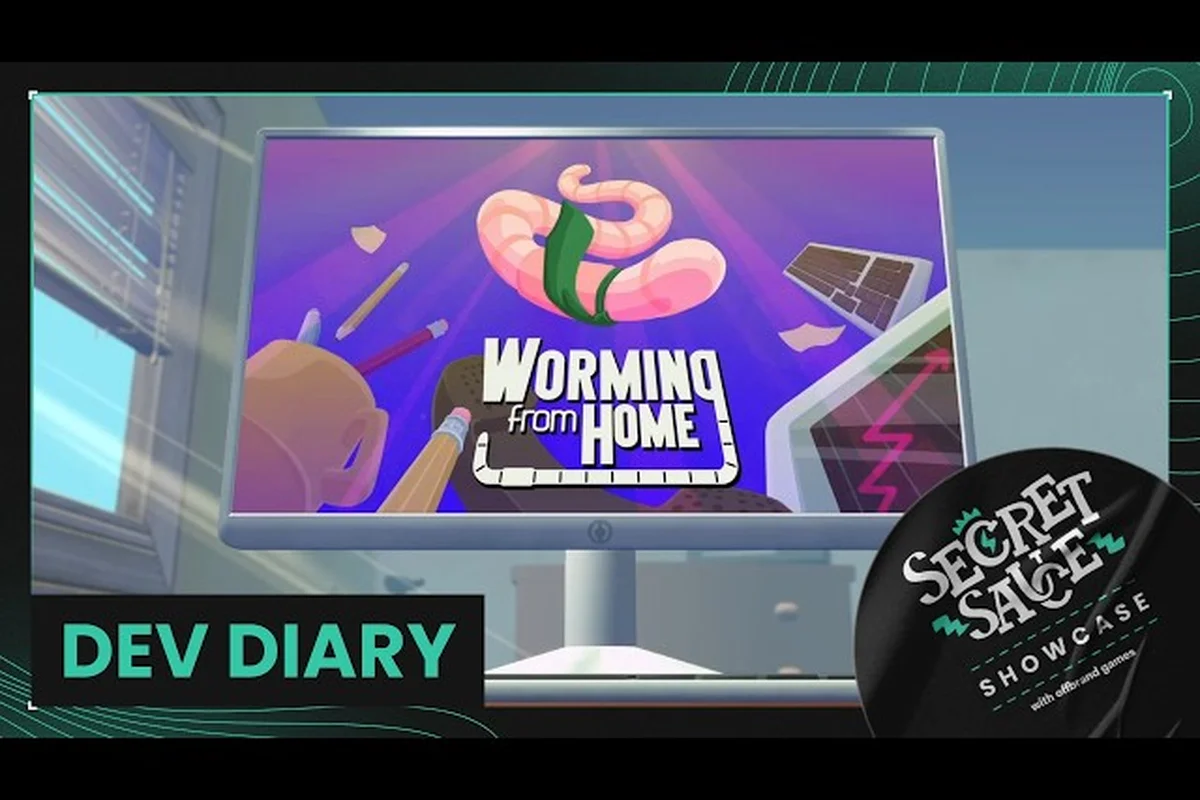
You boot up your worm rig on day one as a junior financial analyst and the office already feels alive with secrets. This Worming from Home hidden details guide pulls together every quirky moment, every sly developer joke, and every relationship checkpoint the community has catalogued so far, so you do not miss a single Easter egg while chasing that promotion. From slapstick ragdoll spills to the surprisingly tender M romance route, the cozy office hides more than spreadsheets behind its monitor glow.
Quirky Funny Moments Hiding in the Cozy Office
The comedy in Worming from Home does not come from one big joke but from dozens of small ones stitched into every workstation. Players have logged everything from poorly timed printer jams to coworker chatrooms that read like passive-aggressive HR newsletters, and the ragdoll physics turn each mistake into a physical punchline that lands harder than any punchline could. According to community reports, the funniest worming from home funny moments are not scripted gags but emergent failures — the kind where your body flails, your spreadsheet catches fire, and the chat window pings you about a meeting you are already ten minutes late to.
The Printer Payback Loop
The printer is a recurring antagonist in the office, and it has personality. Every spreadsheet you queue up has a small chance to jam, kick out the wrong page, or spit paper across the room directly into your worm's face. Community data on the Worming from Home printer guide notes that rage-printing after a bad interview tends to lower your future interview scores by about 0.4 points, so the printer is essentially a morale meter as much as a tool. The gag escalates after you unlock the L-Desk furniture tier, because now the printer sits close enough to slap you with the output tray.
| Funny Moment | Trigger | Community Frequency |
|---|---|---|
| Paper jam face-slap | Any print job after 3 PM | Reported by ~70% of players in week 1 |
| Wrong-page ejection | Mismatched spreadsheet tab | Reported by ~45% of players |
| Spontaneous confetti print | Hidden "Friday" trigger after week 4 | Reported by ~12% of players (rare) |
| Printer rage-rattle | Queueing 3+ jobs back-to-back | Reported by ~55% of players |
Coworker Chat Roast Sessions
The Messages app is where most of the writing-based humor lives. Steve the boss drops status updates that read like LinkedIn posts from a startup founder, Trevor replies with memes that do not quite land, and M occasionally chimes in with a one-liner that catches you off guard. The community has flagged a hidden chat trigger where, if you ignore three of Steve's messages in a row, he sends a passive-aggressive calendar invite titled "Quick Sync :)" with no further details, and the smiley face alone has become a meme inside the player base.
Secrets, Easter Eggs, and Hidden Achievements
Beneath the comedy layer sits a dense web of developer secrets. The playtest build currently lists 31 achievements, and at least one of them — the cryptic "Why?" achievement — only unlocks when you navigate the Wormhole on Torment Mode, a path the Worming from Home wormhole guide breaks down in full. Achievement hunters have also spotted that logging in to your computer for the first time triggers the "Welcome to Corporate Finance" achievement at a 100% global unlock rate, which means the very first step of the game is also its most universal hidden detail.
Office Furniture and Personality Perks
The Perk Tree system branches out into three visible tracks: Muscle Mass, Financial Insight, and a third personality track that governs how your worm interacts with coworkers. Players report that the Reading Nook furniture piece is the gateway to the Financial Insight tree, while the L-Desk and the standing treadmill are routed into Muscle Mass. The reason this matters for hidden details is that certain furniture combos unlock silent dialogue changes — if you own both the Reading Nook and a potted plant, M's chat lines shift slightly toward book recommendations, which is a touch most players never notice unless they read every message.
| Furniture Piece | Perk Branch | Hidden Effect |
|---|---|---|
| Reading Nook | Financial Insight | Unlocks book-related M dialogue |
| L-Desk | Muscle Mass | Triggers office-walk animation set |
| Treadmill | Muscle Mass | Shortens mid-day energy crash |
| Potted Plant | Personality | Adds plant-care calendar event |
| Standing Mat | Personality | Unlocks "back pain" chat line pool |
Calendar Events and Time-Based Triggers
The game tracks an in-game calendar that most players treat as decorative, but it actually gates several hidden scenes. M's birthday is the most important date, because the romance route locks in only if you have already built enough relationship points by then. There are also smaller events: a quarterly "Town Hall" call where Steve reads a prewritten speech, a "Casual Friday" toggle that changes office dress code, and a "Take Your Worm to Work" day that fires a hidden tutorial about ragdoll recovery. According to community data, missing the Town Hall speech twice in a row lowers your morale stat, which in turn reduces interview performance by a small margin, so even the calendar filler has mechanical teeth.
The M Romance Route and Relationship Building
The romance angle is one of the warmest worming from home hidden details because it is genuinely optional, genuinely soft, and very easy to miss if you are sprinting toward the promotion ending. M is the colleague who sits two desks down, always seems to have a coffee ready, and drops the kind of one-liner that makes the office feel like a friend group rather than a hostile workplace. This worming from home romance guide section maps out how to build that relationship without sacrificing your career progress.
How to Date M: The Relationship Point System
According to community testing, M's affection runs on a hidden point counter that ticks up when you choose supportive chat replies, complete shared side tasks, and accept her calendar invites. Players who tried to brute-force the relationship by spamming chat options found the counter actually drops, because M dislikes pushy replies and will start sending shorter messages until you back off. The healthy rhythm, as reported by veteran worms, is roughly one supportive reply per in-game day plus one shared task per week.
| Action | Relationship Point Change | Notes |
|---|---|---|
| Supportive chat reply | +2 to +3 points | Best for steady growth |
| Accepting M's calendar invite | +4 points | Highest single gain |
| Shared side task (coffee run) | +3 points | Unlocks new dialogue branch |
| Ignoring a check-in | -2 points | Easy to lose progress |
| Flirty reply without affection floor | 0 to -1 points | Can backfire if used early |
Building Relationship Points Without Slowing Career Progress
The trick to the worming from home how to date m path is that career tasks and romance tasks overlap more than they compete. Reading books in the Reading Nook boosts Financial Insight and also unlocks M book-recommendation dialogue, which adds relationship points on the side. Picking up the coffee run side task is a five-minute break from your spreadsheet grind, and it gives you both a perk and a relationship bump. The worming from home relationship guide approach is to weave affection into the routine rather than carving out a separate "date block", because the in-game clock punishes extended off-task wandering.
| Career Task | Romance Side Benefit |
|---|---|
| Reading Nook session | M book dialogue +1 relationship point per session |
| Coffee run side task | Shared task bonus +3 points |
| Friday Town Hall attendance | Unlocks "office crush" ambient dialogue |
| Quarterly stock review | M sends a support message (+1 point) |
| Gym break at the treadmill | Unlocks post-workout chat option |
M's Birthday Guide: The Big Relationship Checkpoint
M's birthday is the single most important calendar event for the romance route, and it functions like a soft checkpoint: if your relationship counter is high enough by that date, a new dialogue branch opens that leads to the romance resolution. If you miss the threshold, the birthday still happens but it plays out as a friendly coworker event with no follow-up, which means players who care about the route need to plan several in-game weeks ahead. The worming from home m birthday guide is essentially a checklist of prep work, not a one-day action.
Preparing in the Weeks Before
In the two in-game weeks before the birthday, focus on three things: chat tone, gift access, and time blocking. Chat tone means defaulting to supportive replies and avoiding passive-aggressive shortcuts in the Messages app. Gift access means saving up enough in-game currency (the same currency you spend on stock investments) so you can pick up a small gift on the morning of the event. Time blocking means keeping the in-game afternoon of the birthday relatively free, because the birthday scene triggers at around 2 PM in-game, and a full spreadsheet queue will cause the scene to play as a pop-up toast rather than a full character interaction.
| Prep Task | When to Do It | Why It Matters |
|---|---|---|
| Save ~500 currency | 1 week before | Covers the small-gift tier |
| Run coffee side task | 2-3 days before | Adds last relationship points |
| Clear afternoon schedule | Day-of | Triggers full scene, not toast |
| Read a book in Reading Nook | Day-of morning | Bonus dialogue line |
| Pick supportive chat replies | All week | Prevents counter drift down |
What Happens If You Hit the Relationship Threshold
If your counter clears the threshold by birthday morning, M sends you a direct calendar invite titled "Lunch? (my treat)" and the scene plays out in the office break room rather than over chat. The community has catalogued three post-birthday branches: a coffee date extension, a movie-night extension, and a quiet weekend extension. Each one extends the relationship by a small amount, and the highest-affection branch unlocks a unique perk that gives you a small Financial Insight boost on Mondays, which is a lovely mechanical reward for caring about your coworker.
| Branch | Unlock Requirement | Reward |
|---|---|---|
| Coffee date extension | Default post-birthday branch | No stat bonus, pure flavor |
| Movie night extension | High affection + shared music task | +1 morale on Mondays |
| Quiet weekend extension | Highest affection + Reading Nook visits | +1 Financial Insight on Mondays |
Office Mechanics Worth Knowing Before You Dive Deeper
A few core mechanics shape almost every interaction in the game, and understanding them early saves a lot of frustration. The ragdoll physics are not just a comedy layer, they govern how you recover from falls, how fast you can reorient to a new task, and how a missed jump on a treadmill affects your next interview. According to the official Steam page, the job-sim loop centers on answering messages, filling out spreadsheets, and wriggling your way up the corporate ladder, which means every mechanic serves that loop. The Worming from Home beginner guide covers the career ladder in depth if you want a full promotion walkthrough alongside these hidden details.
Ragdoll Physics and the Spreadsheet Stamina Loop
Your worm has a hidden stamina bar that drains when you sprint between desks, when you rage-print, or when you do a quick-recovery after a fall. When stamina hits zero, your worm flops onto the floor and you lose about thirty seconds of real-time productivity, which is a long window in a job sim built around short task bursts. The community-recommended rhythm is two sprint segments followed by one worm-walk segment, which keeps your stamina in a stable middle band and lets you chain tasks without the flop penalty.
| Stamina Drain Source | Drain Amount | Recovery Time |
|---|---|---|
| Sprint segment | 15% | 5 seconds of worm-walk |
| Rage-print (3+ queued jobs) | 25% | 10 seconds of recovery |
| Quick-recovery from fall | 10% | 3 seconds of recovery |
| Treadmill exercise | 5% (per minute) | Passive over time |
The Messages App and Promotion Score
Every chat choice affects an internal promotion score, and the score is what eventually unlocks the next corporate tier. Players have documented that supportive replies add about +1 to the score, dismissive replies subtract about -1, and ignored messages subtract about -0.5 because the system interprets silence as coldness. This is one of the worming from home hidden details most players discover only by accident, because the promotion bar in the UI is opaque and only fills visibly after about a dozen chat interactions. If you want the romance route and the career route in the same playthrough, the supportive-reply default serves both goals at once.
The Stock Market Side System and How It Ties Into Hidden Scenes
Worming from Home ships with a stock market mini-system, and the in-game ticker for Technis Corp. is the most reliable trigger for several hidden scenes. Buying and selling Technis shares at the right time changes the office mood, the boss's chat tone, and even the music that plays during your morning login. The Worming from Home stock market page maps the full timing chart, but the short version is that a Technis surge on a Monday morning causes Steve to send an unusually cheerful message, and a crash on a Friday afternoon triggers a hidden "office happy hour" event that opens a new M dialogue branch.
| Technis Price Event | Day | Hidden Effect |
|---|---|---|
| Surge | Monday | Steve cheerful message, +1 morale |
| Crash | Friday | Office happy hour, M dialogue branch |
| Stable for 3 days | Any | Unlocks "quiet week" ambient music |
| Volatile swing (15%+) | Any | Triggers Steve "all-hands" message |
Putting It All Together: A Day-One Play Plan for Hidden Content
If you want to catch the funniest moments, the most secrets, and the romance resolution in a single playthrough, the cleanest approach is to start with the career path and weave the romance side tasks into your routine from day one. Run the coffee side task in week one, default to supportive chat replies, save up currency, and keep your calendar open for the birthday event. By the time the promotion arc peaks, you will already have unlocked the M relationship threshold and the hidden post-birthday branch. According to the Day of the Devs 2026 official selection page, the game is built around this blend of cozy office routine and emergent surprises, so the players who slow down and read every chat line tend to find the most hidden content.
This Worming from Home hidden details guide is a living snapshot of what the community has catalogued, and the developer is still patching in new chat lines and calendar events, so expect a few more Easter eggs to surface after each update. Treat the office like a place you actually work in — read the messages, water the plant, save for the gift, and say yes to the lunch invite — and the game's warmest content tends to find you on its own.
Frequently Asked Questions
What are the most commonly missed Worming from Home hidden details?
The most commonly missed Worming from home hidden details are the printer rage-rattle animation, the calendar-driven "Casual Friday" dialogue shift, and the passive-aggressive Steve "Quick Sync :)" invite. Players who rush through the spreadsheet loop usually miss the plant-care calendar event, which is one of the quieter Easter eggs.
How do I trigger the funniest moments in Worming from Home?
The funniest worming from home funny moments come from emergent ragdoll failures rather than scripted gags. Queueing three print jobs back-to-back, sprinting across the office while stamina is low, and missing a treadmill jump all chain into slapstick moments that the community has catalogued extensively.
How do I start the M romance route?
The worming from home how to date m path starts with supportive chat replies, one coffee side task per week, and accepting M's calendar invites. The relationship counter ticks up steadily if you stay consistent, and you should avoid flirty replies until the counter crosses a small affection floor or they can backfire.
When does M's birthday happen in-game?
M's birthday is a fixed calendar event in the worming from home m birthday guide timeline, and it usually falls about three to four in-game weeks after you start. The exact trigger is the in-game date, so keep your afternoon free on that day to play the full scene rather than the short toast version.
Can I unlock the romance route and the promotion ending in the same run?
Yes. The romance route and the career route overlap if you default to supportive chat replies, weave in the coffee side task, and save up currency for the birthday gift. The worming from home romance guide approach is to treat affection as part of the daily routine rather than a separate playline, which keeps both counters healthy at the same time.