If your shift in the worm office feels like a slog of unanswered messages and frozen spreadsheets, the right Worming from Home productivity upgrades can flip the entire day around. Perk choices decide whether you clear Steve's inbox in minutes or stay late wrestling the printer, and the early build order matters far more than most junior analysts realize.
Worming from Home is a remote-work job sim where you play a spineless junior financial analyst wriggling across the keyboard to answer messages, fill out spreadsheets, and climb the corporate ladder at Technis Corp. According to the official Steam store page, the loop is built around buying upgrades, training skills, and grinding your way to the promotion you have been chasing. Picking the best Worming from Home productivity upgrades first is what separates a smooth Day 1 from a shift full of bottlenecks, and that is exactly what this Worming from Home work performance guide is here to help you plan.
How Productivity Upgrades Work in Worming from Home
Productivity upgrades in Worming from Home come from two main systems: the Perk Tree you unlock by spending skill points, and the Interns you recruit to your home office. Both feed into the same loop, which is raising your per-shift output so Steve keeps handing you harder tasks and bigger paychecks. The community generally treats the Perk Tree as the foundation because perks are permanent and apply to every task type, while interns add flexible bonuses that scale with how many you keep on the payroll.
According to the developer press kit, the game is built around a ragdoll worm throwing itself around a keyboard, answering messages, and filling out spreadsheets for a fictional finance company. The upgrade system is layered on top of that, so a perk that boosts spreadsheet speed is dramatically more valuable than one that only adds flavor. Community data shared on Reddit suggests the perk tree has dozens of nodes split across several branches, with a few standout picks that any Worming from Home work performance guide should call out early.
Core Stats That Upgrades Affect
Most perks in the Perk Tree touch one of three core stats: Work Speed, Message Reply Quality, and Stamina/Energy. Work Speed cuts the time it takes to clear spreadsheet cells, message threads, and printer minigames, which directly raises your hourly output. Message Reply Quality affects how often Steve accepts your first reply, which matters because failed replies waste stamina and force a second pass.
A third hidden stat is Boss Task Tolerance, which is how much punishment your worm can take during heavy shifts without passing out on the keyboard. Some perks push Boss Task Tolerance up by reducing energy drain, while a few risky perks boost raw Work Speed at the cost of more energy per task. Reading community feedback on the Discord, players tend to agree that stamina management is the most underrated stat in the early game, because running out mid-shift is what actually kills your average tasks-per-hour number.
Why Intern Productivity Multiplies Everything
Worming from Home interns are not just decoration. Once unlocked, you can recruit them to handle side tasks, and each one adds a small passive boost to your overall output. The Valuable Work Experience achievement requires buying ten interns, and the Establish Dominance achievement requires throwing one away, which already hints that intern management is a real minigame rather than a single purchase. Interns are also the only upgrade type that can be lost or replaced, while perks are forever, which is why the best Worming from Home interns are usually added only after the perk foundation is solid.
The Best Worming from Home Upgrade Tier List
Not all upgrades pull the same weight, and the difference between an S-tier perk and a D-tier one can be a 30-40% gap in tasks-per-hour on a long shift. Community tier lists generally agree on a top group of perks that almost every build should include, a strong second group that fits specific playstyles, and a bottom group that is best skipped until late game.
The table below ranks the most commonly recommended Worming from Home upgrades based on community testing, perk synergies, and how early you can realistically unlock them. If you are following a Worming from Home upgrade tier list for the first time, the S and A tier entries are the ones to chase first.
| Tier | Upgrade / Perk | Source | Main Effect | Best Stage |
|---|---|---|---|---|
| S | Keyboard Velocity | Perk Tree | Major Work Speed boost to all apps | Early game |
| S | Inbox Zero | Perk Tree | Faster message reply timer | Early game |
| S | Efficient Intern | Intern perk | Each intern adds more passive output | Mid game |
| A | Spreadsheet Autopilot | Perk Tree | Partial auto-clear of easy cells | Early-mid game |
| A | Coffee Stamina | Perk Tree | Reduces energy drain per task | Mid game |
| A | Financial Insight | Reading Nook | Better stock-market decisions | Mid game |
| B | Muscle Mass I-II | Gym tree | Small Work Speed bonus, larger later | Mid-late game |
| B | L-Desk Comfort | Furniture | Mild stamina regen boost | Mid-late game |
| C | Printer Whisperer | Perk Tree | Niche printer minigame speedup | Late game |
| D | Desk Trinkets | Furniture | Cosmetic-leaning stats | Skip |
S-Tier Upgrades: The Non-Negotiables
Keyboard Velocity is the single most recommended perk in nearly every public Worming from Home upgrade tier list because it directly multiplies how fast you clear Work tasks. Once you slot it in, message replies, spreadsheet cells, and printer interactions all get noticeably snappier, which is exactly what the early grind demands. Inbox Zero is the second must-pick because message reply speed compounds: faster replies mean more accepted replies per stamina bar, and that feeds back into your hourly output.
Efficient Intern sits in S-tier because once you have a stable of interns, each one becomes worth more, which is the main reason Worming from Home intern productivity scales so well in the mid game. The math is simple — if a base intern gives you a 5% passive boost, Efficient Intern might push that to 8-10%, and that delta grows with every additional hire. Skipping this perk is one of the most common mistakes new analysts make, because they see interns as side content rather than as the main multiplier.
A-Tier Upgrades: Strong Buildaround Picks
Spreadsheet Autopilot is a strong A-tier pick for any build that leans into spreadsheet-heavy shifts, because it handles easy cells on its own and frees your worm to focus on the harder rows. Coffee Stamina is the second A-tier staple and pairs especially well with risky high-output perks, because every point of energy saved is one more task per shift. Players who plan to invest in the stock market should also pick up Financial Insight from the Reading Nook, since better market calls translate directly into more upgrade money, which in turn funds more perks.
The Worming from Home upgrades path through the gym tree, sometimes called Muscle Mass by the community, also deserves mention. Early nodes give modest Work Speed bonuses, but the late nodes add a chunk of stamina and an XP multiplier that pays off in the back half of the game. Treat Muscle Mass as a long-term investment rather than a Day 1 priority.
Intern Productivity: The Multiplier Most Players Underuse
The intern system is the single biggest multiplier on your Worming from Home work performance, and it is also the one most players treat as a side feature. Each intern you hire sits in your home office, generates passive output, and can be assigned to certain task types for a flat bonus. The trick is realizing that the first intern is worth more in percentage terms than the fifth, so the community consensus is to recruit slowly and only after the perk foundation is online.
How Intern Boosts Stack
Intern boosts stack additively with perk bonuses, which is why pairing Efficient Intern with a Work Speed perk gives a much larger combined lift than either alone. The exact numbers are not published in the press kit, but community testing reported by players on Reddit and Discord suggests each intern adds roughly a 3-7% passive boost depending on your current perk loadout. That spread is wide because some intern traits interact with specific apps, and a good trait on a spreadsheet-heavy shift can feel almost unfair.
| Intern Count | Estimated Passive Boost (No Efficient Intern) | Estimated Boost (With Efficient Intern) |
|---|---|---|
| 1 | 4-6% | 7-10% |
| 3 | 10-15% | 18-24% |
| 5 | 15-22% | 27-35% |
| 10 | 25-35% | 40-55% |
The Valuable Work Experience achievement, which is unlocked by buying ten interns, sits at a global unlock rate of around 10.5% of players on Steam, according to the official achievement stats. That low number suggests most players either skip the grind or run out of cash before hitting the threshold, which is exactly the problem the perk foundation solves. Players who want the full Worming from Home intern productivity curve should plan intern spending as a mid-game milestone, not a Day 1 purchase.
When to Hire vs. When to Fire
Hiring your first intern is a big milestone because it unlocks the Establish Dominance achievement, which actually requires throwing one away. That sounds contradictory, but the community reads it as the developer's way of teaching you that interns are a resource, not pets. A bad intern trait on a build that does not need it is dead weight, and replacing it with a better candidate is part of the long-term minigame. If you are following a Worming from Home work performance guide for the first time, plan at least one intern cycle so you learn the trait system without burning your best candidates.
If you want a full breakdown on intern hiring, trait matching, and the cheapest path to the Valuable Work Experience achievement, the interns upgrade guide covers trait math in detail. The general rule from that guide is to never fire your first three interns, because the early loss in passive output hurts more than any trait cleanup saves.
Best Early Build Order for Productivity Upgrades
A good build order is the difference between a smooth mid game and a stalled one, because the first few perk points lock in your playstyle for the rest of the run. The community-recommended early path is to push straight for Keyboard Velocity and Inbox Zero, then branch into stamina perks before adding your first intern. This order is widely cited on the Discord because it maximizes tasks-per-hour during the hardest stretch of the game, which is the first promotion push.
| Step | Priority | Target Upgrade | Why This Step |
|---|---|---|---|
| 1 | Immediate | Keyboard Velocity | Biggest single Work Speed jump |
| 2 | Immediate | Inbox Zero | Compounds with KV on message-heavy shifts |
| 3 | Early | Coffee Stamina | Unlocks longer shifts without passing out |
| 4 | Early | Spreadsheet Autopilot | Frees manual input for hard cells |
| 5 | Mid | First Intern hire | First big passive boost |
| 6 | Mid | Efficient Intern | Multiplies every future intern |
| 7 | Mid | Financial Insight (Reading Nook) | Better stock returns fund later perks |
| 8 | Late | Muscle Mass late nodes | Big stamina + XP multiplier |
| 9 | Late | L-Desk Comfort (furniture) | Sustained regen for boss shifts |
This order assumes a normal first-time run without heavy stock-market focus. If you are planning a finance-heavy build, swap step 7 earlier and consider moving step 8 down, because you will not need the late-game XP boost if you finish your perk tree through market profits. For a deeper look at the gym and reading nook paths, the how to get swole guide covers Muscle Mass node-by-node.
How to Spend Your First Day's Points
Day 1 perks should be 100% focused on Work Speed and Stamina, because those are the stats that gate your ability to grind early shifts. The community generally warns against spending points on cosmetic furniture perks or niche minigame boosts until your hourly output is stable. Once you can clear a full shift without passing out, you can start investing in trait synergies and app-specific perks.
A common mistake is buying furniture perks on Day 1 because they look tempting in the shop, but furniture is better treated as a mid-game luxury once you have the perk backbone in place. The furniture system does help, and you can read more in the apartment furniture guide, but it is not a productivity priority in the first few hours.
Shift-by-Shift Productivity Tips
Even with the right perks, your actual hourly output depends on how you run each shift. The biggest lever is task routing, because switching between apps costs time, and clustering similar tasks together gives the perk bonuses a chance to stack. The second lever is stamina pacing, which means not blowing your energy bar on the first message storm and saving some for the boss task at the end of the shift.
Routing Messages, Spreadsheets, and the Printer
A good shift starts by clearing the inbox, because unanswered messages drain morale and can trigger Steve callbacks. Once the inbox is at zero, switch to spreadsheets and clear them in batches, then finish with the printer. This order lets perks like Inbox Zero and Spreadsheet Autopilot each shine in their own window, rather than fighting for attention on a mixed app rotation.
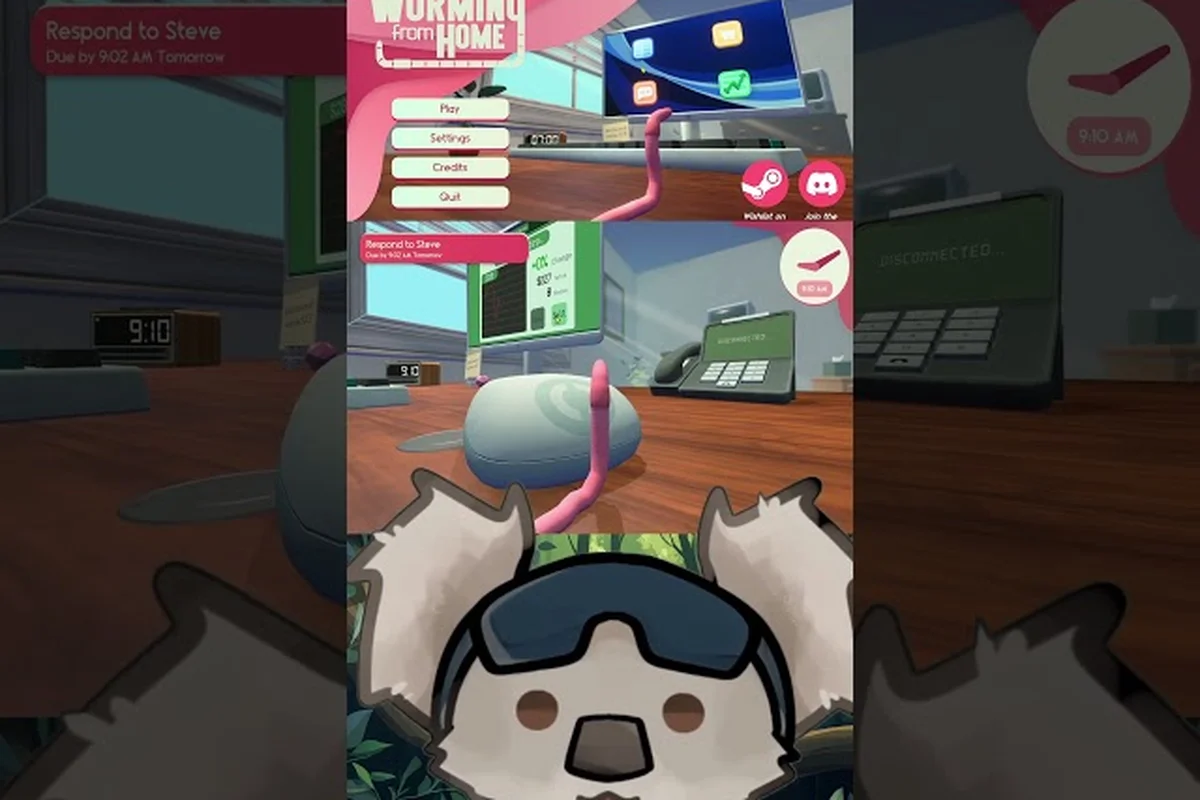
A short clip from KatSerene titled Worming from Home: Work or Fun? walks through a real shift and shows why routing matters, especially on boss tasks where every second counts. The visual layout also makes it easier to understand which apps stack bonuses and which ones break your combo.
Managing Boss Tasks and Steve
Boss tasks usually land at the end of a shift and come with a tighter timer and a harder workload, which is where Coffee Stamina and Muscle Mass late nodes really pay off. A common community tip is to deliberately save a stamina potion, or a stamina perk proc, for the boss task rather than using it mid-shift, because the boss task is where most analysts fail the promotion check. If you want a more detailed walkthrough of boss task timing, the overtime and task guide covers the specific app interactions and the cleanest way to handle Steve's late-day push.
Common Mistakes When Choosing Productivity Upgrades
Most first-time analysts make one of a few classic mistakes, and almost all of them come from treating perks and interns as separate systems rather than two halves of the same multiplier. The other big mistake is chasing furniture perks before the perk foundation is solid, which leaves the worm undergeared for the hardest shifts.
Spending on Furniture Before the Perk Tree
Furniture is a real upgrade path and it does help, but its bonuses are smaller than equivalent perk bonuses in the early game. The general rule is to finish at least the first two perk branches before spending significant money on a new desk, lamp, or chair. Once your perk tree is online, furniture becomes a strong finisher rather than a foundation, which is the right role for it.
Ignoring Intern Trait Synergy
Hiring ten interns with random traits is much weaker than hiring five interns whose traits line up with your build. A spreadsheet-heavy build wants interns with spreadsheet traits, a message-heavy build wants reply traits, and a balanced build wants generalists. Taking the time to reroll or replace underperforming interns is a major part of the late-game minigame, and skipping it is the most common reason Worming from Home intern productivity feels underwhelming.
Saving Stock Profits Instead of Reinvesting
Many players hoard their stock-market profits in the early game because the number feels impressive, but every dollar sitting in cash is a dollar not funding the next perk. The recommended approach is to keep a small cash reserve for emergencies, then funnel the rest back into the perk tree, and only after that consider intern hires. This compounding loop is what makes a build feel "broken" in the late game, because the perks, interns, and furniture all multiply each other once each layer is online.
Putting It All Together
The strongest early build for Worming from Home productivity upgrades is a clear sequence rather than a pile of good perks. Start with Keyboard Velocity and Inbox Zero to maximize Work Speed on every app, then layer in Coffee Stamina so your energy bar can carry a full shift, and only then bring in your first intern. Once that intern is stable, pick up Efficient Intern so every future hire is worth more, and finish the foundation with Spreadsheet Autopilot and a single Financial Insight node from the Reading Nook.
Treat furniture as a mid-game luxury, treat the stock market as a perk-funding tool rather than a goal, and treat interns as the multiplier they actually are. The full Worming from Home upgrade tier list rewards players who plan a few hours ahead, because the perks you pick on Day 1 shape the entire rest of the run. Stick to this order and the shift at Technis Corp will feel noticeably less like a grind and more like a steady climb toward the promotion you have been wriggling toward all along.
Frequently Asked Questions
What are the best Worming from Home productivity upgrades to buy first?
The best first picks are Keyboard Velocity and Inbox Zero from the Perk Tree, because they boost Work Speed and message reply speed across every app in the game. Add Coffee Stamina as your third pick so you can survive longer shifts without passing out on the keyboard. These three perks together form the foundation of almost every strong early build.
How do Worming from Home interns actually improve productivity?
Each intern adds a passive output boost while they sit in your home office, and certain traits give extra bonuses on specific apps like spreadsheets or messages. The Efficient Intern perk multiplies that boost, so your third and fourth interns become noticeably more valuable than the first two. Interns also stack additively with perk bonuses, which is why the mid-game ramp feels so dramatic once the perk tree is online.
Is there a recommended Worming from Home upgrade tier list for beginners?
Yes, the community generally tiers Keyboard Velocity, Inbox Zero, and Efficient Intern as S-tier, with Spreadsheet Autopilot, Coffee Stamina, and Financial Insight as strong A-tier picks. Late-game S-tier additions usually include the Muscle Mass late nodes and L-Desk Comfort furniture. Beginners should focus on S and A tier until the perk foundation is solid before exploring cosmetic or niche perks.
When should I hire my first intern in Worming from Home?
Most players recommend waiting until you have at least two core perks online, because the first intern hits harder when your base output is already high. Hiring right after unlocking Keyboard Velocity and Inbox Zero is a safe mid-game milestone, usually around the second or third promotion push. Avoid hiring on Day 1, because the early cash is better spent on the perk tree.
Are Worming from Home upgrades permanent or can they be respecced?
Perk Tree nodes are permanent for the current run, so picking the wrong branch early can lock you out of a specific synergy for a while. Interns can be hired and fired, which is part of the intern management minigame, while furniture purchases stay in your apartment once bought. Plan perks carefully, especially in the first few hours, because the early picks shape the entire build.