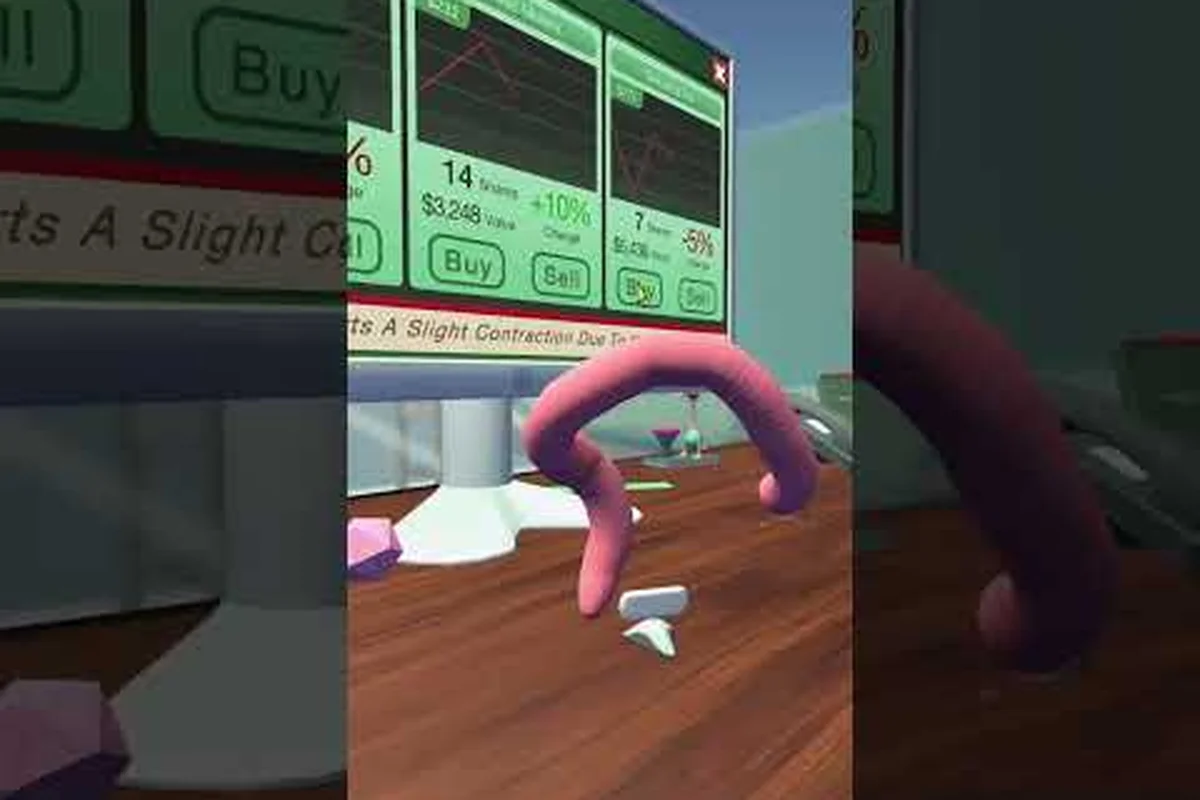
Speed matters in Worming from Home because every unanswered message, missed call, or botched video interview drains your shift timer and tanks your performance score. This worming from home how to reply to messages fast guide breaks down the three communication channels — the Messages App, the desk phone, and the S-grade video call — so you can clear every task without dropping a single promotion point. According to the official Worming from Home on Steam listing, the entire job sim is built around the worm wriggling across a keyboard to answer messages, fill out spreadsheets, and survive corporate rituals, which makes communication the single most important task system in the game.
If you are still learning the basics of how the worm moves and where the printer sits, the Worming from Home printer guide pairs nicely with this article because the printer and the messages app are both run from the same desktop surface.
Understanding the Messages App and Typing Speed
The Messages App lives in the bottom-left corner of the worm's monitor, and it is the engine that drives every shift. Co-workers Trevor and M send chats, while boss Steve slides in requests, reminders, and the occasional "urgent" prompt that gates your promotion track. The game forces you to physically type the reply you select, which is why worming from home how to reply to messages fast is a mechanics question, not just a story question.
Why Typing Speed Is a Hidden Stat
There is no XP bar for typing, but the speed at which you select a dialogue option and finish the actual keystrokes determines whether you are reading the next message or scrambling to catch up. According to the official Steam description, your "spineless body" has to wriggle across the keyboard, so movement friction between the mouse cursor, the WASD keys, and the typing field is the real bottleneck. Players who pause to read first and then move typically clear the queue; players who dive in mid-sentence frequently misfire and have to retype.
The most common miss-click happens when a new message appears while you are still in the previous one. The screen does not pause for you, and the M's Birthday calendar event, along with several Steve request lines, stack on top of older Trevor chats. If you want to learn the underlying typing minigame details, the Worming from Home money guide covers how faster replies translate directly into better paycheck performance.
| Message Type | Approximate Response Window | Penalty for Slowness |
|---|---|---|
| Trevor casual chat | 8–12 seconds | Slight performance hit |
| M work or romance prompt | 6–10 seconds | Missed affection flag |
| Steve urgent request | 3–5 seconds | Performance drop + delay to next task |
| M's Birthday event | 4–6 seconds | Cuts the event short |
Building a Reply Loop That Sticks
A reliable reply loop in Worming from Home has four steps: read the sender, read the request, move the worm onto the keyboard area, then type. New players often merge steps 1 and 2 with steps 3 and 4, which causes the cursor to drift mid-sentence. According to the Wand Report's review of the game, the ragdoll nature of the worm means any airborne hop resets your position, so a short hop should always be followed by a deliberate crawl toward the reply field before you start typing.
Veteran players recommend a three-line muscle-memory pattern: pause, click the option you want, then move the worm straight onto the keyboard surface. The reply field highlights once you press the matching key, and from that moment you only need to type the words — no further mouse movement is required. Once the loop is automatic, you can sustain a 2–3 message per minute cadence during normal shifts.
Mastering the Desk Phone in Worming from Home
The phone is a second, parallel task system that the worm must juggle alongside the Messages App. It is also the channel most players ignore until they realize that a single missed call can erase an entire chain of performance points. This is where a worming from home phone guide becomes essential.
Worming from Home Phone Ringing: What to Do
When the phone starts ringing, the audio cue plays regardless of where the worm is, including mid-jump or mid-reply. The first thing to do is finish whatever reply is already in the input field — submitting a half-typed message is far worse than letting the phone ring for two more seconds. After the message goes through, the worm should wriggle toward the phone handset that sits on the right side of the desk. Picking up the receiver triggers a short animation, after which a voice line plays.
A useful rule of thumb for worming from home phone ringing what to do scenarios: if the caller is Steve, answer; if the caller is unknown, answer cautiously because the easter-egg dial codes (such as 911) only activate when the call is connected. According to a Steam community player review, dialing 911 produces a real emergency response script, which confirms that the phone's full input set is wired into the same dialogue system as the Messages App. Knowing that every line you hear is being scored the same way as a message reply reframes the phone as a tier-one task rather than a flavor event.
Worming from Home Answer the Phone: The Right Input
To answer the phone in Worming from Home, the worm must reach the handset and press the green accept key. Hanging up too quickly counts as a missed call, while staying on the line too long without responding risks a hangup penalty. The safest approach is to listen to the full voice line, then choose the correct option from the on-screen prompt. Most calls offer two or three response branches, and the option you pick influences whether the next call is a friendly follow-up or a Steve warning.
| Caller | Frequency | Best Response Style | Outcome if Ignored |
|---|---|---|---|
| Steve | Daily | Confirm the next task | Performance drop + delayed shift |
| Trevor | 2–3 per shift | Casual, friendly | Minor XP loss |
| M | 1–2 per shift | Warm, in-character | Missed romance progress |
| Unknown / Easter egg | Random | Curiosity-driven | None, but rewards discovery |
Players building toward the S-grade video call achievement should treat every phone call as a rehearsal. The same muscle memory — listen, select, confirm — applies in the more demanding video call, so the desk phone becomes a low-stakes training ground.
Video Call Guide and S-Grade Answers
The video call is the only communication event in the game that assigns an explicit letter grade, and it is the centerpiece of any worming from home video call guide. The interface resembles the Messages App, but the dialogue options are scored live, and the S grade unlocks the "S Grade Video Call" achievement tracked on the Steam achievements page.
Worming from Home Video Call Answers Step by Step
The video call begins after a series of escalating events: Steve sends increasingly formal messages, you complete a few contract printer tasks, and the calendar hits the interview trigger. Once the call connects, the worm faces a multi-round interview with several question branches. Each branch is scored individually, and the final grade is the average of your round scores. Worming from home video call answers therefore has to focus on both content and pacing.
A practical workflow is to read every option fully, choose the one that matches Steve's formal tone, and submit before the round timer expires. According to the Worming from Home review on Screen Hype, you are given dialogue options for every message, and the player types the reply they choose — which means the same typing loop from the Messages App applies here, only with a stricter timer.
| Round | Question Theme | S-Grade Cue | Avoid |
|---|---|---|---|
| 1 | Introduction | Mention your analyst role | Casual slang |
| 2 | Work history | Reference spreadsheet tasks | Vague answers |
| 3 | Problem solving | Cite a specific Trevor interaction | Generic "I work hard" |
| 4 | Future goals | Connect to the promotion track | Off-topic humor |
| 5 | Closing | Confirm availability for next shift | Unrelated chatter |
Worming from Home How to Get S Grade on Video Call
To hit the S grade, three conditions must all be true: every response must be in the formal register, all rounds must submit before the timer ends, and the worm must remain on the keyboard surface throughout the call. Dropping into ragdoll mid-question lowers the score for that round even if your answer is correct. Players who have already practiced on the Worming from Home interview minigame track — which covers the related 4.5 score interview — usually find that the S grade is one tier above their previous best.
Two extra strategies help. First, time your replies so that the worm settles on the keyboard before the question fully loads, which lets you start typing the instant the input field opens. Second, treat the call as a five-round sprint rather than a single conversation; the per-round pacing is what separates an A from an S, because every round uses the same scoring rubric and a single slow submission can drag the average below the S threshold.
Putting It All Together: A Communication Speed Routine
A single shift in Worming from Home can throw Messages App prompts, phone calls, and video call prep at you in overlapping waves, and the only way to keep up is to stack the three channels into one routine. Below is a sample speed routine that experienced players use to clear a normal shift without dropping any communication score.
| Step | Action | Channel | Time Budget |
|---|---|---|---|
| 1 | Finish the active message | Messages App | 0–3 s |
| 2 | Move worm to keyboard center | Shared | 3–5 s |
| 3 | Answer ringing phone if any | Phone | 5–8 s |
| 4 | Return to Messages App | Messages App | 8–10 s |
| 5 | Pre-stage for next video call round | Video Call | 10–12 s |
A routine like the one above keeps missed calls down and performance scores steady, even on shifts where two Trevor chats, one Steve request, and the M's Birthday event stack back to back. The reason it works is mechanical rather than mystical: each step clears whichever channel is currently bleeding points, so no caller ever waits long enough to trigger a penalty. Once the sequence becomes muscle memory, you stop deciding what to click next and start spending every second actually typing, which is what keeps the grade stable across a full shift.
Common Mistakes to Avoid
The three mistakes that break communication speed are: typing while the worm is still airborne, switching channels before submitting the current message, and treating the phone as a low-priority side task. Avoiding all three is usually enough to push an average player from B-tier to A-tier performance. If you want to go further, the Worming from Home emergency services guide explores the off-hours side of the phone system, which can be useful context for understanding the full input range.
Players who also collect achievements may want to combine this routine with the absolute expertise achievement walkthrough, because the S-grade video call sits on the same achievement branch as several other high-tier communication goals.
Frequently Asked Questions
What is the fastest way to reply to messages in Worming from Home?
The fastest worming from home how to reply to messages fast loop is read, click, then type without moving the mouse again. Keep the worm on the keyboard surface between replies so the input field is already active when the next message lands. Most players hit a 2–3 message per minute pace once this becomes muscle memory.
How do I answer the desk phone without dropping a task?
Finish the current message first, then move the worm to the handset. The phone does not pause the game, so a half-typed message is far worse than two extra seconds of ringing. Once you pick up, listen to the full line before choosing a response option. This is the core rule of any worming from home phone guide worth following.
Why does the phone keep ringing and what should I do about it?
Persistent ringing usually means a Steve urgent request, a Trevor follow-up, or an unknown caller easter-egg trigger. Treat worming from home phone ringing what to do as a high-priority check: finish the active message, then answer immediately. Ignoring the call drops performance and can lock out a sub-quest, especially during M's Birthday.
How are video call grades calculated?
Each round in the video call is scored on tone, content, and pacing, then averaged into a final letter grade. Worming from home video call answers must stay formal, on-topic, and submitted before the per-round timer ends. The S grade requires all five rounds to be in formal register with no mid-round ragdoll.
What is the trick to getting an S on the video call?
For worming from home how to get s grade on video call, the trick is pacing. Pre-stage the worm on the keyboard before each round opens so you can type the instant the input field appears, and never let the body ragdoll between questions. Treating the call as a five-round sprint rather than one long conversation is what separates an S from an A.